The SQL Server DBA Summer Health Checklist: 7 Checks to Run Before Q3
July sits at the midpoint of the year, and for SQL Server DBAs, that makes it one of the most strategically important months on the calendar. Q3 brings renewed project activity, end-of-summer pushes, and the beginning of budget conversations that set the tone for Q4. If your databases are carrying hidden problems right now, those problems will surface at the worst possible time.
A midyear database health review is not about finding catastrophic failures. It is about finding the slow burns: the index fragmentation that has been accumulating since January, the wait statistics that have been creeping upward, the schema changes nobody documented, the stored procedures that have been silently degrading query performance for months. These are the issues that do not announce themselves until they become emergencies.
This checklist walks through seven checks every SQL Server DBA should run before Q3 gets underway. Work through them systematically and you will head into the second half of the year with a clear picture of where your databases stand.
1. Review Index Fragmentation Across All User Databases
Index fragmentation is one of the most common and most overlooked sources of SQL Server performance degradation.
Fragmentation builds gradually over time as rows are inserted, updated, and deleted. By midsummer, databases that were performing well in January may be carrying fragmentation levels well above the 30 percent threshold where rebuilds become necessary.
Run fragmentation reports against all user databases, paying particular attention to tables with high insert and delete activity. Identify indexes with fragmentation above 10 percent as candidates for reorganization, and those above 30 percent as candidates for full rebuilds. Schedule these maintenance operations during low-traffic windows before Q3 workloads ramp up.
Also audit your existing index maintenance jobs. Confirm they are running on schedule, completing successfully, and actually covering all databases and filegroups. A maintenance job that silently failed three months ago may have left significant fragmentation unaddressed.

2. Analyze Wait Statistics for the Past 90 Days
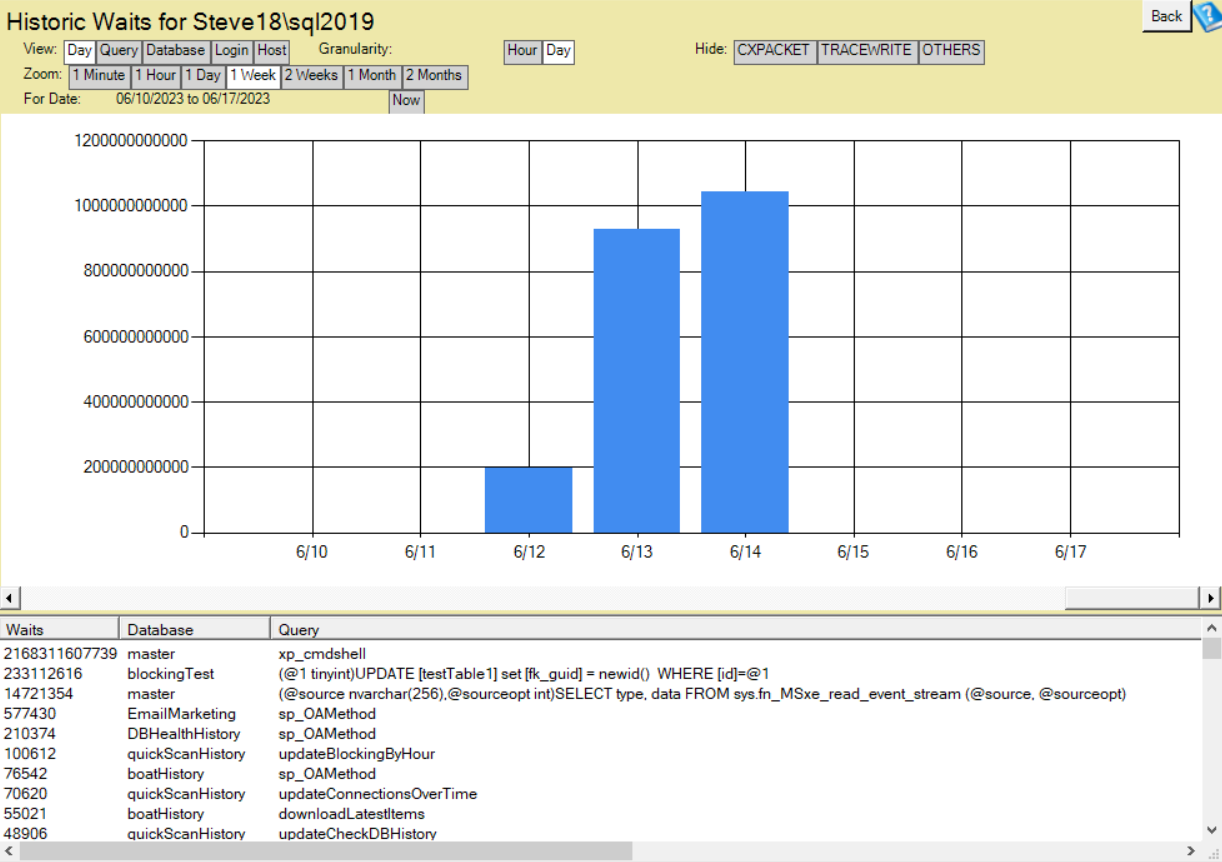
Wait statistics tell you what SQL Server has been waiting for. They are one of the most direct indicators of where performance bottlenecks exist, and they should be reviewed regularly rather than only when a problem is reported.
Pull cumulative wait statistics and look for the top wait types by total wait time. Common offenders include CXPACKET indicating parallelism issues, PAGEIOLATCH pointing to I/O pressure, LCK indicating locking and blocking problems, and WRITELOG pointing to transaction log bottlenecks. Each top wait type points toward a specific category of investigation.
If you do not have historical wait stat data, this midyear check is also a good time to put a wait statistics baseline in place. Knowing what normal looks like makes future deviations much easier to detect and diagnose.
3. Audit Schema Changes Made Since January
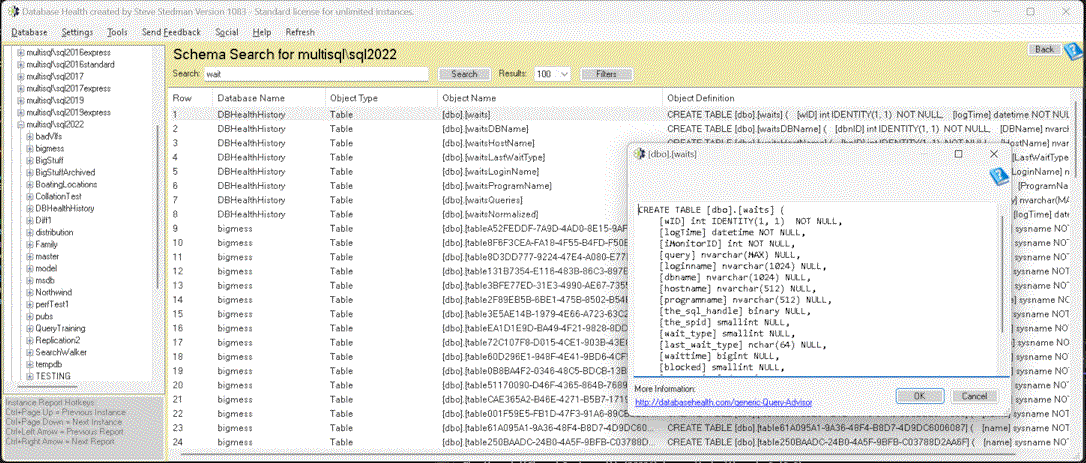
Undocumented schema changes are a silent risk that accumulates steadily in busy environments. Tables get columns added. Indexes get dropped to speed up a one-time load operation and never recreated. Stored procedures get modified to fix an urgent bug and the change never makes it into source control.
Review the schema change history for your production databases. Compare current schema against your documented baseline or your last known-good deployment. Flag any changes that were not made through your standard change management process and investigate whether they introduced unintended side effects.
SchemaDrift, where production databases diverge from their documented state, is one of the leading causes of incidents that are difficult to diagnose because the root cause is invisible to anyone who was not present when the change was made.
4. Review Query Performance for Your Top 20 Queries by Resource Consumption
A small number of queries typically account for a disproportionate share of SQL Server resource consumption. Identifying and reviewing these queries at midyear gives you a clear picture of where optimization effort will have the greatest impact.
Use the Query Store or execution plan cache to identify your top queries by CPU time, logical reads, elapsed time, and execution count. For each top query, review the execution plan for obvious inefficiencies: table scans on large tables, missing index warnings, excessive parallelism, or outdated statistics. A single well-optimized query can meaningfully reduce overall server load.
5. Verify Backup Integrity and Recovery Readiness
Backup verification is not a one-time task. It is an ongoing obligation. This midyear checkpoint is a good time to confirm that backups for all databases are completing successfully, that backup files are being stored in the expected locations, and that recovery has been tested recently.
The critical question to answer is not whether backups are being taken, but whether they can actually be used to recover a database within your required recovery time objective. If you have not done a test restore since last year, July is an appropriate time to schedule one. A backup you have never tested is a backup you cannot rely on.
6. Evaluate Disk Space Trends and Capacity Planning
Disk space issues rarely appear without warning. The warning is a steady upward trend in consumption that, if left unmonitored, eventually becomes a crisis. Review current disk space usage across all drives hosting SQL Server data, log, and tempdb files. Then look at the growth trend over the past six months.
Project that trend forward through the end of the year. If current growth rates continue, will you have adequate space through Q4? Are any databases approaching autogrowth thresholds that could cause performance problems during growth events? Identifying capacity pressure in July gives you time to address it through data archiving, compression, or storage expansion before it becomes urgent.
7. Review SQL Server Agent Jobs for Failures and Long-Running Executions
SQL Server Agent jobs often run quietly in the background and receive attention only when they fail visibly. A midyear audit of all agent jobs should include reviewing job history for failures, identifying jobs that are taking significantly longer to complete than they did six months ago, and confirming that notification alerts are in place and routing to the right recipients.
Jobs that are silently taking longer are often the first indicator of underlying database health problems. An index maintenance job that ran in 45 minutes in January and now takes three hours in July is telling you something about fragmentation levels or system load that warrants investigation.
Make This Checklist Easier With the Right Monitoring Tool
Working through this checklist manually is possible, but it is time-consuming and requires pulling information from multiple sources across multiple queries. Database Health Monitor by Stedman Solutions automates the collection and analysis of all of these data points, surfacing them in a unified view that makes midyear reviews significantly faster and more thorough.
The Quick Scan Report alone runs more than 100 diagnostic checks across your SQL Server instances and presents the results in a prioritized format that makes it easy to identify what needs immediate attention versus what is worth watching over time.
July is Database Health Monitor Month. Through the end of July, annual plans are available at 25 percent off the regular price. If a midyear review of your SQL Server environment is on your list, this is a practical time to put a monitoring solution in place that ensures you do not need to build this checklist from scratch every six months.
Learn more about Database Health Monitor at databasehealth.com.
Check out this offer:Explore our Database Health Monitor special pricing.
Here are all the discounts for Database Health Monitor. Pick the one that fits your server count.
25% off 1 Instance – Code: 25OFF1
25% off 10 Instances – Code: JULY25
25% off 20 Instances – Code: 25OFF20 – Best Value
Free 30-Minute SQL Server Consultation
Purchase a new one-year Database Health Monitor subscription between July 15th and July 21st and receive a complimentary 30-minute consultation with Steve Stedman, Mitchell Glasscock, or George Stedman. This one-on-one session can be used to review your SQL Server environment, discuss monitoring strategies, identify performance concerns, or help you get the most value from Database Health Monitor. It’s a great opportunity to receive personalized guidance from experienced SQL Server professionals and accelerate your success with the platform.