Load Testing with Query Loading Ramp
Load testing with Query Loading Ramp, part of Database Health Monitor.
Find out how your SQL Server queries hold up under real load – before your users do.
Query Loading Ramp is included as part of Database Health Monitor from Stedman Solutions, LLC.
The problem it solves
A query that runs fine for one person at a desk can fall apart under fifty concurrent users. Blocking appears, memory grants queue up, CPU spikes, and response times balloon – but only under load, which means it usually surfaces for the first time in production. Most teams find out the hard way: during a product launch, a marketing campaign, a month-end close, or a data migration that suddenly multiplies traffic.
Query Loading Ramp lets you find that breaking point on your own schedule, on your own terms, before it finds you.
What Query Loading Ramp does
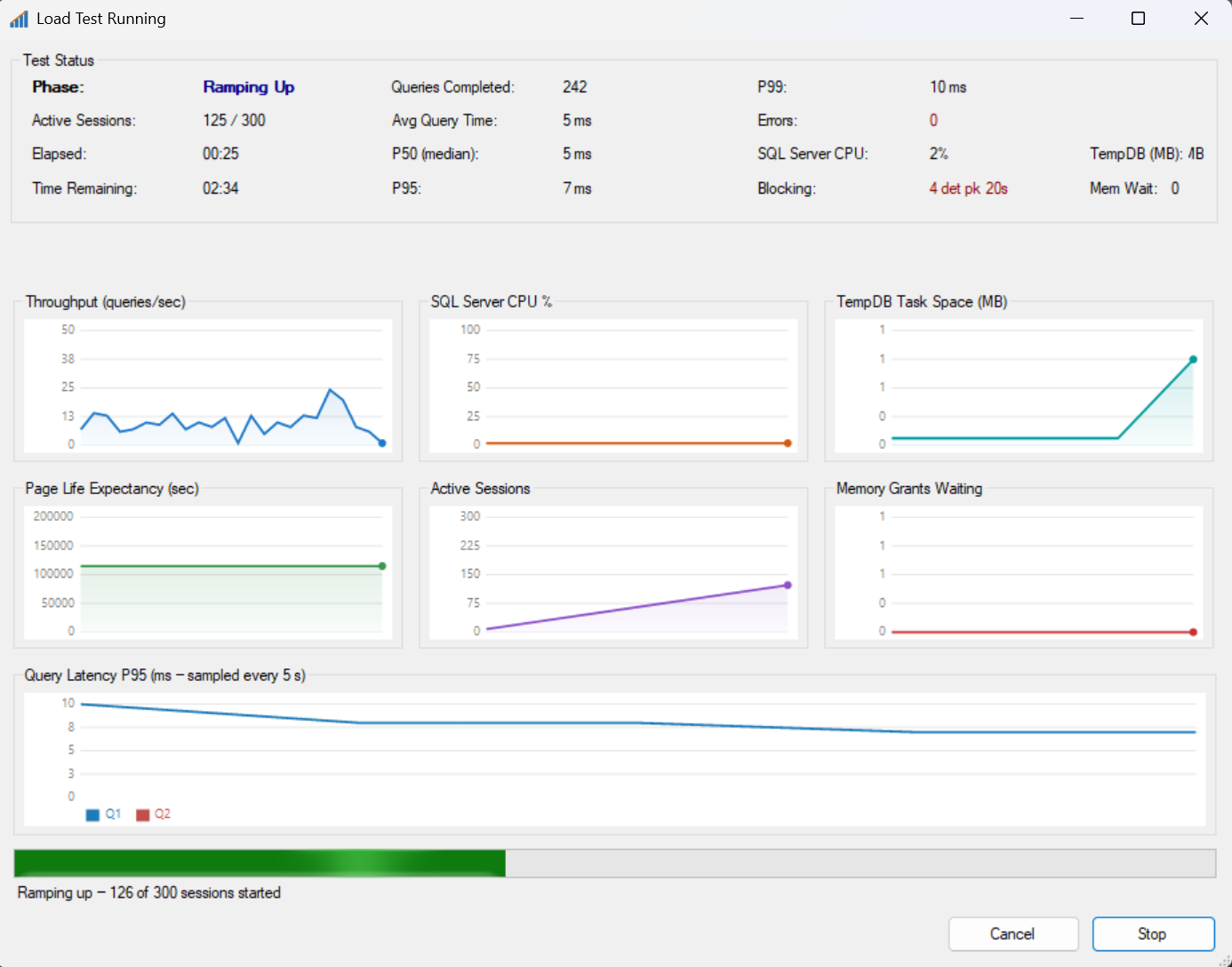
You give it one or more T-SQL queries or stored procedure calls and a target number of concurrent sessions. It ramps those sessions up against your SQL Server instance and reports exactly what happens to your database while the load builds:
- Throughput, and latency at the P50, P95, and P99 percentiles
- SQL Server CPU percent, Page Life Expectancy, and active session counts
- TempDB task space, memory grants, and memory grants waiting
- Blocking events, wait statistics, and file I/O by database file
- Index usage during the run, including indexes that saw zero activity
- Missing index recommendations and execution plans captured at peak CPU
Test the way your application actually behaves
- Multi-query workloads. Add several queries with relative weights to simulate a realistic mix of reads and writes instead of hammering a single statement in isolation.
- Parameterized queries. Load a CSV or paste data from a spreadsheet so each session runs with different, realistic input values instead of the same row every time.
- Gradual ramp-up and think time. Add sessions gradually instead of all at once, and add pauses between executions with optional jitter so the test pattern looks like real user traffic, not a synthetic hammer.
- A CPU safety limit. Set a ceiling so the test backs off new sessions rather than pushing a shared production server past the point you are comfortable with.
Breaking Point Finder
Instead of guessing how many sessions to test, Breaking Point Finder runs the question for you. It steps concurrency up automatically, measures throughput and latency at each step, and identifies the knee – the point where adding more sessions stops paying off and latency starts climbing. Run it once to learn your query’s real operating limit, then re-run it after an index change or query rewrite to prove the limit moved.
A report you can hand to someone else
Every run produces a complete HTML report: the configuration that was tested, results and per-query breakdowns, charts for throughput, CPU, Page Life Expectancy, TempDB, and memory grants, wait statistics, blocking events, file I/O, index usage, TempDB usage, missing index recommendations, and the error log. Save it, attach it to a change ticket, or send it to a teammate who was not in the room when the test ran.
Fits into how your team already works
- Save and reload test configurations as .qlr files so a test is repeatable, not a one-off.
- Run the same test from the command line with no graphical interface, so it can run from PowerShell, a batch file, or a scheduled job, and exit with a status code your pipeline can check.
- Schedule a load test as part of a nightly job and get an HTML report waiting for you in the morning.
Included with Database Health Monitor
Query Loading Ramp is not a separate purchase or a bolt-on add-in. It installs as part of Database Health Monitor, the SQL Server health, performance, and configuration toolkit built by Steve Stedman and Stedman Solutions, LLC. The same install that gives you historic wait analysis, QuickScan health checks, schema drift detection, and SQL performance monitoring also gives you a load-testing tool that would otherwise be its own product with its own price tag.
Why get Database Health Monitor
You can find a query that runs slowly. The harder question is whether it will still run acceptably next month, after the next data migration, or during your busiest hour of the year. Database Health Monitor exists to answer that question and the dozens of others a DBA or database developer asks every week, in one toolkit instead of a pile of disconnected scripts:
- Catch capacity problems in a test window you control, instead of during a launch, a campaign, or month-end close that you do not control.
- Validate a schema change, an index change, or a hardware change with before-and-after numbers instead of a hunch.
- Replace a stack of ad hoc scripts and a separate load-testing tool with one toolkit that already knows how to talk to SQL Server’s DMVs.
- Hand a report to a manager, a client, or a teammate that shows exactly what was tested and what happened, instead of a verbal “it seemed fine.”
- Built by a working DBA for working DBAs – Steve Stedman has run SQL Server in production for decades, and Database Health Monitor reflects the checks and tools he actually reaches for.
Here is a short video on Query Loading Ramp
Download Database Health Monitor, including Query Loading Ramp, at DatabaseHealth.com.