Quick Scan Report – Large Error Log Files
What this check looks for
An error log file that has grown very large, which happens when the log is only cycled at service restart rather than on a schedule.
Why it matters
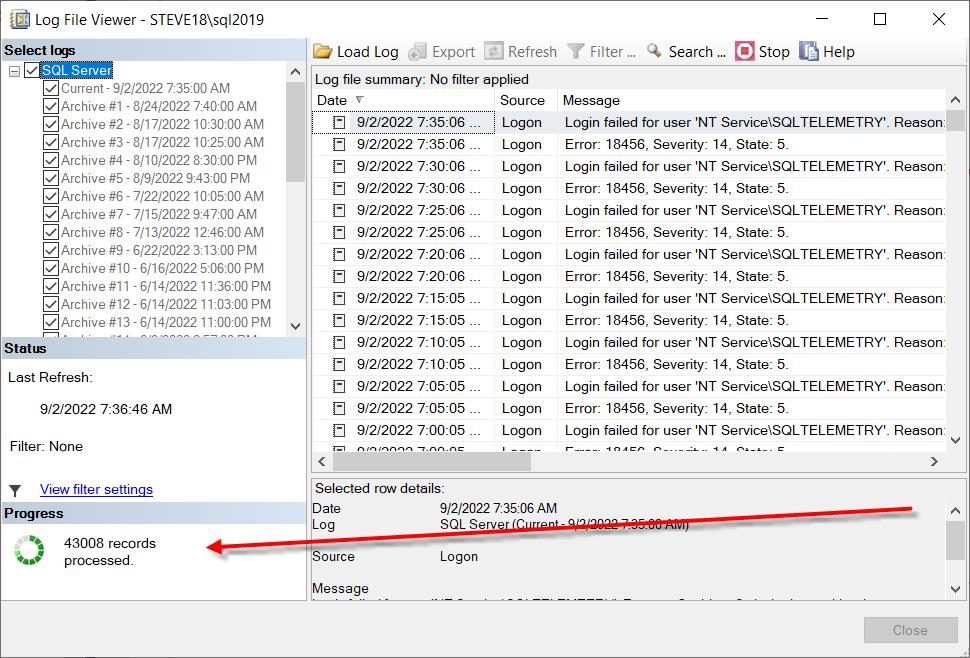
By default, SQL Server starts a new error log file only when the service restarts. On an instance that stays up for a year, that is one file holding a year of entries.
That produces several problems, and they compound:
- Reading it is slow and expensive.
sp_readerrorlogand the Management Studio log viewer read the file sequentially. On a multi gigabyte file that takes minutes, and it happens while you are trying to diagnose something. - Reading it takes a lock on the log file while it does so, which can interfere with SQL Server writing to it.
- Searching it is impractical. The entries you need are mixed with hundreds of thousands of routine ones, and the filtering parameters of
sp_readerrorlogonly help if you already know what you are looking for. - Startup is slower, since SQL Server has to open and append to the existing file.
- Disk space, on an instance where the log directory is not large.
- Monitoring tools that parse the log slow down or time out.
And the reverse problem arrives when you finally do restart. SQL Server keeps six error log files by default. Cycle the log six times, by whatever means, and the oldest is deleted. On an instance that restarts a few times during a troubleshooting session, a year of history can be gone in an afternoon. So the two settings have to be changed together: cycle more often and keep more files.
What is filling it is worth establishing, because sometimes the volume is the finding rather than the retention:
- Successful backup messages, which is the single most common cause and has its own check and its own trace flag.
- Login auditing set to log successful logins as well as failed ones, which on a busy instance writes an entry per connection.
- Failed login attempts, which may be an application with a stale password retrying in a loop, or something less benign.
- A repeated warning from a known build defect, such as the long asynchronous API call message.
- Deadlock or I/O warnings, which are genuine findings that deserve attention rather than suppression.
The distinction matters. Cycling the log makes it readable; finding out what is filling it may remove the problem entirely.
How to confirm it yourself
The log files and their sizes:
EXEC sys.sp_enumerrorlogs;That returns each retained log file with its size and date range, which is the quickest way to see both how large they are and how far back the history goes.
Where they live:
SELECT SERVERPROPERTY('ErrorLogFileName') AS [error_log_path];How many files are retained:
DECLARE @numLogs INT;
EXEC master.dbo.xp_instance_regread
     N'HKEY_LOCAL_MACHINE', N'Software\Microsoft\MSSQLServer\MSSQLServer',
     N'NumErrorLogs', @numLogs OUTPUT;
SELECT ISNULL(@numLogs, 6) AS [error_logs_retained];
A NULL means the default of 6, which is too few on any instance.
What is actually in it, which is how you find the cause:
CREATE TABLE #errorLog (
    [LogDate]     DATETIME,
    [ProcessInfo] NVARCHAR(100),
    [Text]        NVARCHAR(MAX)
);

INSERT INTO #errorLog EXEC sp_readerrorlog 0;

-- what is filling it, grouped by the first part of the message
SELECT LEFT([Text], 60) AS [message_start],
       COUNT(*)         AS [entries]
  FROM #errorLog
 GROUP BY LEFT([Text], 60)
 ORDER BY [entries] DESC;

-- and the volume per day
SELECT CAST([LogDate] AS DATE) AS [day], COUNT(*) AS [entries]
  FROM #errorLog
 GROUP BY CAST([LogDate] AS DATE)
 ORDER BY [day] DESC;

DROP TABLE #errorLog;
On a very large log that insert itself is slow, so run it when you have a moment rather than during an incident. The grouped result is the useful output: it names the repeated message that is consuming the file.
Whether login auditing is contributing:
DECLARE @auditLevel INT;
EXEC master.dbo.xp_instance_regread
     N'HKEY_LOCAL_MACHINE', N'Software\Microsoft\MSSQLServer\MSSQLServer',
     N'AuditLevel', @auditLevel OUTPUT;
SELECT @auditLevel AS [audit_level],
       CASE @auditLevel WHEN 0 THEN 'None'
                        WHEN 1 THEN 'Failed logins only'
                        WHEN 2 THEN 'Successful logins only'
                        WHEN 3 THEN 'Both' END AS [meaning];
An audit level of 2 or 3 on a busy instance writes an entry per connection, which fills a log quickly and is rarely what anybody intended.
How to fix it
Two changes together: cycle the log on a schedule, and retain more files. Neither needs a restart.
1. Increase the number of retained logs, so that cycling does not throw away history:
EXEC xp_instance_regwrite N'HKEY_LOCAL_MACHINE',
     N'Software\Microsoft\MSSQLServer\MSSQLServer',
     N'NumErrorLogs', REG_DWORD, 30;
30 with a nightly cycle gives you a month of readable, per day log files. The maximum is 99.
2. Cycle it on a schedule. An Agent job running nightly:
EXEC msdb.dbo.sp_add_job
     @job_name = N'DBA - Cycle Error Log',
     @description = N'Starts a new SQL Server error log file each night so no single '
                  + N'file becomes unreadably large.';

EXEC msdb.dbo.sp_add_jobstep
     @job_name       = N'DBA - Cycle Error Log',
     @step_name      = N'Cycle SQL error log',
     @subsystem      = N'TSQL',
     @database_name  = N'master',
     @command        = N'EXEC sp_cycle_errorlog;';

EXEC msdb.dbo.sp_add_jobstep
     @job_name       = N'DBA - Cycle Error Log',
     @step_name      = N'Cycle Agent error log',
     @subsystem      = N'TSQL',
     @database_name  = N'msdb',
     @command        = N'EXEC dbo.sp_cycle_agent_errorlog;';

EXEC msdb.dbo.sp_add_jobschedule
     @job_name          = N'DBA - Cycle Error Log',
     @name              = N'Daily midnight',
     @freq_type         = 4,
     @freq_interval     = 1,
     @active_start_time = 000100;

EXEC msdb.dbo.sp_add_jobserver @job_name = N'DBA - Cycle Error Log';
Cycle the Agent log too, which is the second step above and is routinely forgotten.
3. Cycle it once now to start a fresh file:
EXEC sp_cycle_errorlog;4. Then reduce what is being written, based on the grouped query above:
If it is backup messages, trace flag 3226 suppresses the successful backup entries while leaving failures visible:
DBCC TRACEON (3226, -1);Add it to the startup parameters so it survives a restart. That has its own check, and it is the single most effective reduction on most instances.
If it is successful login auditing, reduce it to failed logins only:
EXEC xp_instance_regwrite N'HKEY_LOCAL_MACHINE',
     N'Software\Microsoft\MSSQLServer\MSSQLServer',
     N'AuditLevel', REG_DWORD, 1;
That needs a restart to take effect.
If it is failed logins, do not suppress them. Find out what is failing, which is usually an application with a stale password or a scheduled task using a disabled account, and fix that instead.
If it is a repeated warning from a known defect, patching is the answer.
Keep the log directory somewhere with room, and not on the C: drive if you can avoid it. The default puts it under the instance installation path, which is usually on the system volume.
How long it takes
About an hour to set up the cycling job, change the retention and identify what is filling the log.
Related reports
| Report | Why you would go there |
|---|---|
| Error Log | The entries themselves, filtered. |
| Job History | Whether the cycling job is running. |
| Disk Space | Room in the log directory. |
| Server Overview | Where the log files live. |
| Security Posture | Failed login volume, if that is the cause. |
Related checks
| Check | |
|---|---|
| Logs flooded with backup messages | The most common cause, with its trace flag. |
| Error log has too few files | The retention half of the fix. |
| SQL Server 2019 Long Async API Call | A build defect that floods the log. |
| Failed login attempts | A cause that should be investigated, not suppressed. |
| Deadlocks detected | Genuine entries worth keeping. |
Frequently asked questions
How often should I cycle the error log? Nightly for most instances, giving one file per day. With 30 retained files that is a month of history, each file small enough to read quickly.
Will cycling lose my history? Only if the retained file count is too low. Raise NumErrorLogs to 30 before you start cycling nightly, or the sixth cycle deletes the oldest file.
Does cycling the log need a restart? No. sp_cycle_errorlog starts a new file immediately. The retention setting also takes effect without a restart.
What about the SQL Server Agent log? It has the same problem and its own procedure, sp_cycle_agent_errorlog. Include it in the same job.