The Ghost of Indexes Past: Why Unused Indexes Are Quietly Killing Your Performance
Unused indexes are the ghosts haunting your SQL Server. They're invisible to most queries, offering no benefits, yet they continue to drain resources with every data modification. Like spirits from another time, they linger in your database long after their purpose has passed, silently degrading performance and consuming precious system resources.
Every time your application executes an INSERT, UPDATE, or DELETE operation, SQL Server must maintain every index on that table: including the ones that never help a single query. It's like paying rent on an empty storage unit month after month. The space is occupied, the bill keeps coming, but you're getting absolutely nothing in return.
The Hidden Cost of Maintenance
Here's the reality that catches many database administrators off guard: data modification operations don't just update your table data. They update every index associated with that table, whether those indexes are actively helping queries or not.
When you insert a new row, SQL Server must update every single index on that table. When you update a column, every index that includes that column needs to be modified. When you delete a row, every index must be adjusted to reflect that deletion. This creates a cascading effect of unnecessary work.
The performance impact compounds with scale. A table with three unused indexes requires roughly three times more I/O and CPU resources for modifications than necessary. In high-transaction environments, this overhead translates to slower response times, increased blocking, and frustrated users wondering why the system feels sluggish.
The Query Optimizer's Burden
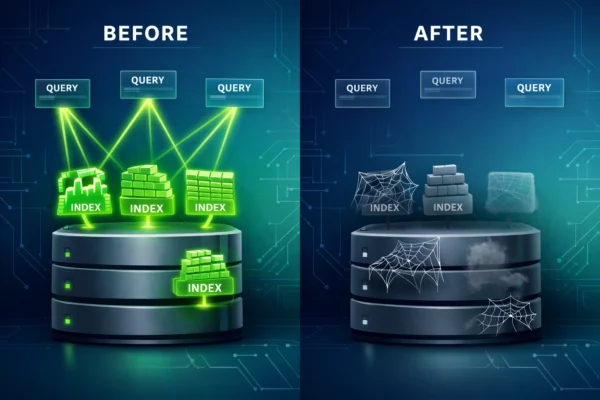
Unused indexes create a second, less obvious problem during query execution planning. The query optimizer must evaluate every available index when determining the best execution plan for a query.
Think of it like giving someone directions while showing them 20 different maps when only 3 are relevant. The extra options don't help: they just make the decision process more complex and time-consuming.
Each additional index represents another option the optimizer must consider and evaluate. This expanded search space leads to longer plan generation times. In complex queries with multiple table joins, the optimizer might even time out while evaluating too many possibilities, forcing it to select a suboptimal execution plan rather than spending more time searching for the perfect one.
The irony is painful: indexes designed to speed up query performance can actually slow down the planning phase when they're never used.
Resource Consumption Beyond Performance
Beyond the immediate performance overhead, unused indexes consume three critical system resources:
Disk space is the most obvious cost. Every index occupies storage, and in large tables, those indexes can consume gigabytes or even terabytes of space. That's storage capacity you're paying for that could be allocated to data that actually matters.
Memory pressure is the hidden killer. SQL Server reads entire data pages into the buffer pool, and when those pages contain unused index data, you're wasting valuable memory cache. In memory-constrained environments, this can force SQL Server to page out useful data to make room for index pages that will never be read.
CPU cycles get consumed during index maintenance operations. Your regularly scheduled index rebuilds and reorganizations dutifully maintain these unused indexes, consuming processing power during maintenance windows that could be completing faster or handling other optimization tasks.
Identifying the Ghosts with Database Health Monitor
The challenge with unused indexes is that they're not immediately obvious. Unlike a slow query that triggers alerts or a blocking chain that brings your application to a crawl, unused indexes operate silently in the background, steadily degrading performance without announcing themselves.
This is where Database Health Monitor's Unused Indexes Report becomes invaluable. Rather than manually querying system views or trying to piece together usage statistics across multiple databases and servers, the report provides a centralized view of exactly which indexes are consuming resources without providing value.
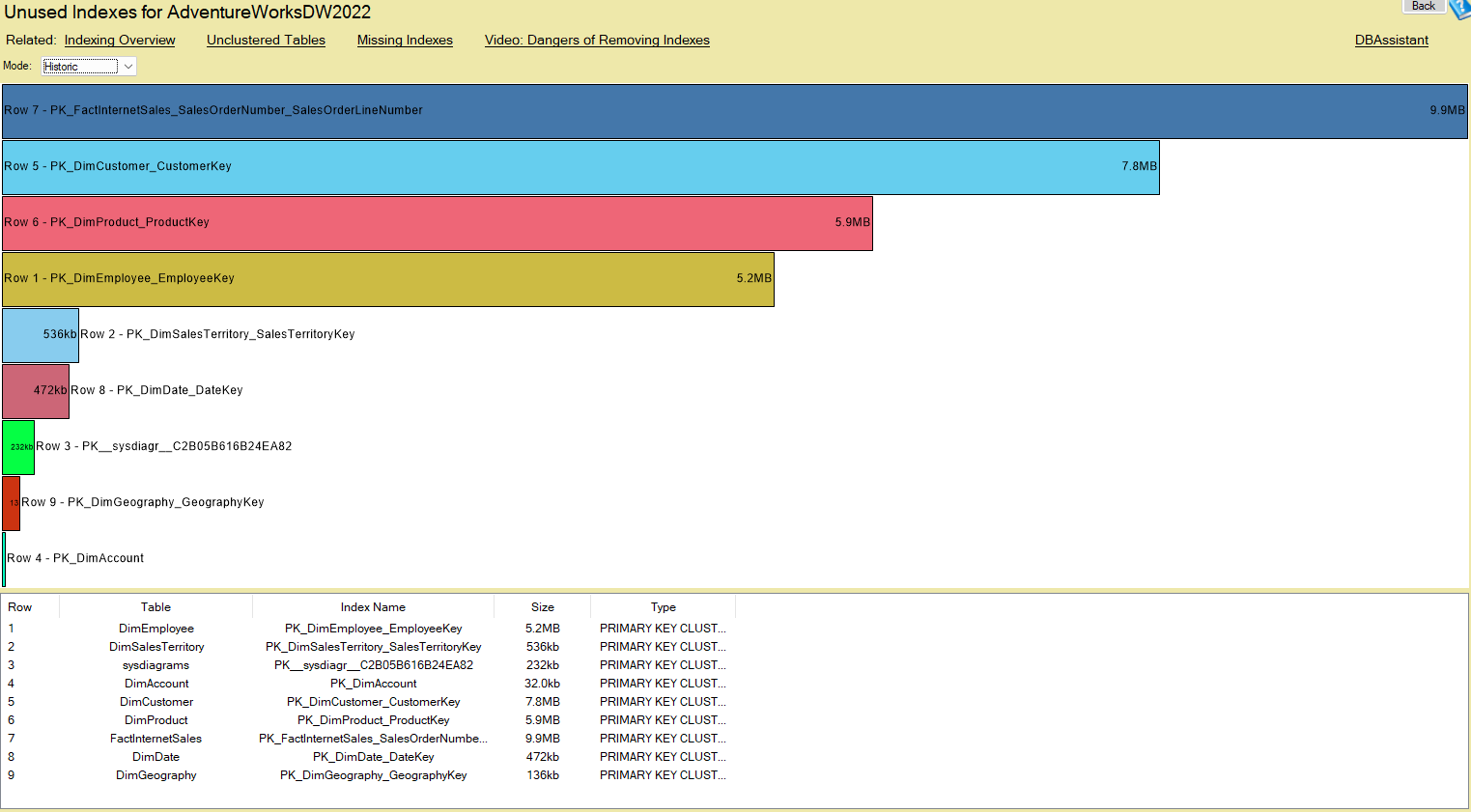
The report shows you indexes that are being maintained during data modifications but never used for query operations. It aggregates this information across all your monitored databases and servers, giving you a comprehensive view of where cleanup opportunities exist throughout your entire SQL Server environment.
What makes this particularly powerful is the ability to see patterns across your infrastructure. You might discover that certain types of indexes: perhaps those created years ago for reports that no longer run: are unused across multiple databases. This insight allows you to address systemic issues rather than playing whack-a-mole with individual index problems.

Safe Cleanup: A Measured Approach
Finding unused indexes is only half the battle. The real skill lies in removing them safely without accidentally dropping an index that's actually needed. Just because an index hasn't been used recently doesn't necessarily mean it's useless: it might support a critical monthly report or a quarterly batch process.
Here's a safe, methodical approach to cleanup:
1. Monitor for an appropriate time period. Never drop an index based on a few days of data. A minimum monitoring period of 30 days is advisable, but 90 days is better. This ensures you capture monthly business cycles, payroll processing, month-end close procedures, and other periodic operations that might use the index infrequently.
2. Check with the business about special cycles. Your monitoring might miss quarterly earnings reports, annual tax filings, or seasonal inventory processes. Before dropping indexes, ask business stakeholders if any processes run less frequently than your monitoring window. A five-minute conversation can prevent a midnight emergency restoration.
3. Always script out the drop first. Before executing any DROP INDEX statement, generate a CREATE INDEX script for the index you're removing. Store this script in version control or a safe location. If you discover the index was needed after all, you can recreate it quickly without digging through backup files or trying to remember the exact definition.
4. Test in development and QA first. If you have lower environments, remove candidate indexes there first and monitor application behavior. Let the change sit for at least one full business cycle before promoting to production. This gives you a safe testing ground to discover dependencies you might have missed.
The Compounding Benefits
The performance improvements from removing unused indexes compound over time. Each modification operation runs faster. The query optimizer works more efficiently with a cleaner index landscape. Your backup and restore operations complete quicker because there's less data to process. Index maintenance windows shrink, potentially allowing you to schedule them more frequently or during less restrictive time windows.
Database Health Monitor tracks these improvements over time, allowing you to measure the actual performance gains from your cleanup efforts. You can correlate index removals with reduced I/O wait times, faster transaction throughput, and improved query response times.

Making It a Regular Practice
Index cleanup shouldn't be a one-time project: it should be part of your regular database maintenance routine. Application requirements change, queries evolve, and new indexes get created to solve immediate problems. Without regular review, unused indexes accumulate like clutter in an attic.
With Database Health Monitor's continuous monitoring, you can establish a quarterly review process. Set aside time each quarter to review the Unused Indexes Report, validate candidates with business stakeholders, and clean up indexes that are no longer providing value. This regular cadence prevents the problem from growing while keeping the cleanup manageable.
The report's historical tracking also helps you identify trends. Are certain developers or applications creating excessive indexes? Are specific types of indexes consistently going unused? These insights help you address root causes rather than just treating symptoms.
Start Cleaning Up Today
Unused indexes are one of those database problems that seem small individually but create significant cumulative impact. Like the ghost of decisions past, they haunt your performance without obvious symptoms, slowly degrading your database's efficiency.
Database Health Monitor makes it simple to identify these performance killers across your entire SQL Server environment. The Unused Indexes Report gives you the visibility you need to make informed decisions about which indexes to keep and which to remove.
Ready to exorcise the ghosts from your databases? Download Database Health Monitor and start with a free trial: https://databasehealth.com/download2/
Within minutes, you'll have a clear picture of unused indexes across your infrastructure and can start reclaiming the performance and resources they're consuming. Your DML operations will thank you.