Unlock Index Insights with Database Health Monitor: Most Used, Unused, and Inefficient Reports
Indexes are one of the most powerful tools for improving query performance in SQL Server, but they can also become a major source of overhead if they are not managed. Database Health Monitor helps you understand index behaviour with three focused reports: Most Used, Unused, and Inefficient. These reports help you identify which indexes are helping, which are wasting space, and which are costing more than they return.
Real-time vs Historic views
Database Health Monitor gives you two complementary ways to look at index usage. The real-time view shows index activity collected since the last SQL Server restart, which is ideal when you are actively tuning and want to see immediate impact. The historic view persists usage data across restarts, which is essential for spotting long-term patterns, understanding nightly or weekly jobs, and evaluating the effects of automation running over time. Using both views together gives you short-term feedback and long-term context.
Most Used Indexes
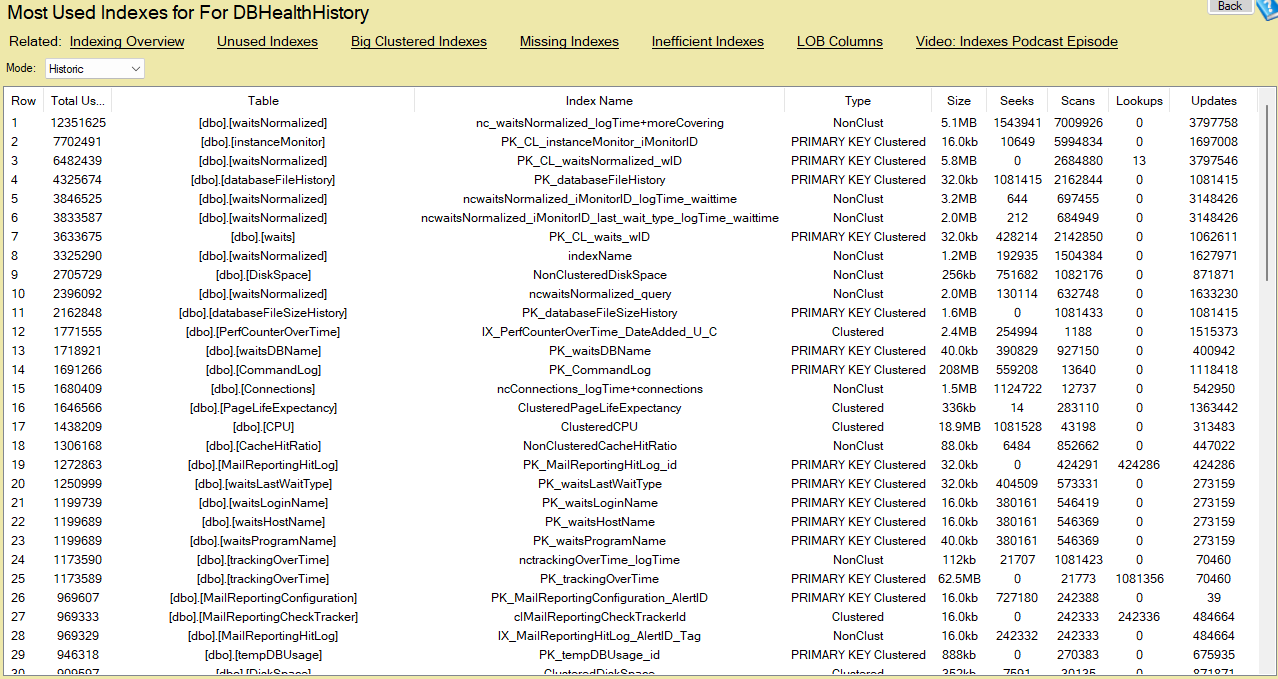
The Most Used Indexes report surfaces the indexes that see the most activity. Instead of listing every column, use the chart and list to check examples like which tables and index names are getting the most seeks and scans, how frequently they are updated, and whether their size is justified by the workload. This helps you confirm that important queries are using the intended indexes and reveals opportunities to tune queries or indexes that are underperforming.
Unused Indexes
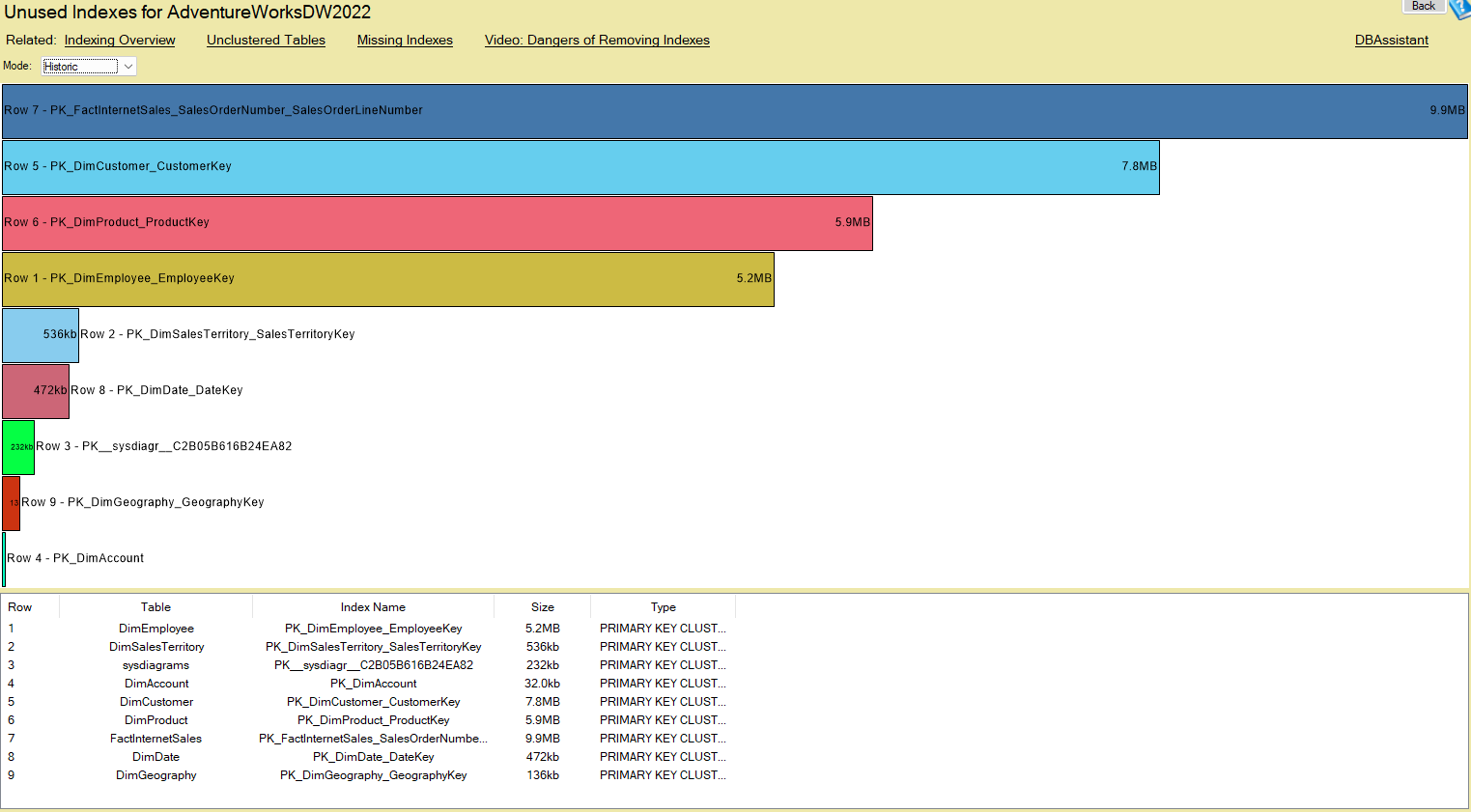
The Unused Indexes report starts with a bar chart ordered by index size, followed by a list view ordered by the same metric. The visual highlights large indexes that are not being used, and the list gives you details such as the table, index type, and size so you can make an informed decision about removal. Removing large, Unused Indexes reduces storage consumption and cuts the maintenance and write overhead associated with inserts, updates, and backups.
Inefficient Indexes
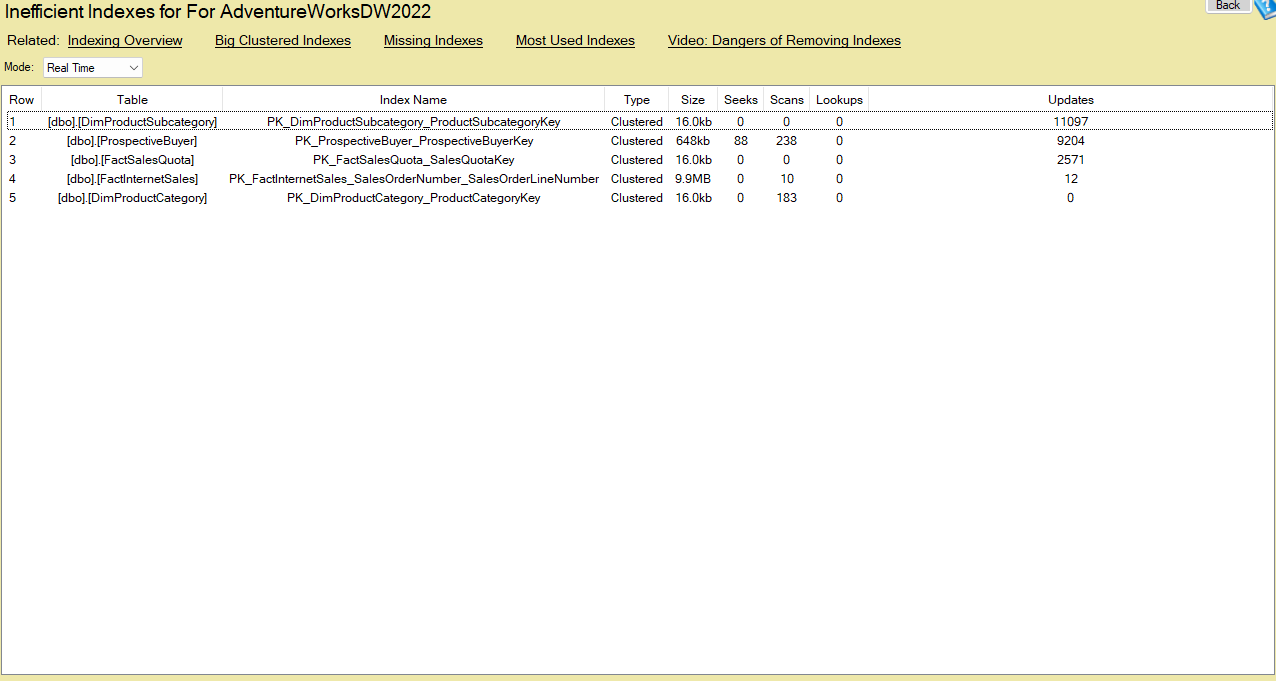
The Inefficient Indexes report points out indexes that are used but not cost effective. Rather than enumerating every field, use the report to compare usage patterns with maintenance cost: for example, indexes with many updates but few seeks or scans. Those are candidates for redesign or removal. Addressing inefficient indexes lowers write overhead and improves overall performance without compromising the queries that actually benefit from good indexing.
Real-world benefits
The pair of real-time and historic perspectives is what makes these reports practical. Use the real-time view while tuning to verify immediate improvements, and use the historic view to validate changes over weeks or months. Keep in mind that results will vary depending on recent activity, so both perspectives are valuable for making safe, data-driven index changes.
Take control of index performance
Indexes can be both a performance enabler and a maintenance burden. With the Most Used, Unused, and Inefficient reports in Database Health Monitor, you get actionable insight into index usage and cost. Leverage real-time feedback for immediate tuning and historic data to ensure long-term stability. The result is fewer surprises, lower maintenance overhead, and more predictable query performance.