SQL Server Technical Debt: Where to Start Fixing It
The same change that took an afternoon last year now takes three days, and nobody can point to one slow query to explain it. Nothing throws an error. Nothing crashed overnight. The database just got harder to work in, one stored procedure at a time, and the next sprint estimate has to account for SQL Server technical debt that nobody has ever actually measured.
How do you measure SQL Server technical debt? SQL Server technical debt is measured by scanning a database's T-SQL against a set of weighted code quality rules, things like NOLOCK hints, cursors, and SELECT star in procedures, and totaling a score. That score converts into an hourly cost using rates you set yourself, which is what turns it into a number a manager will act on.
Most teams reach for the wrong number first. Somebody counts how old a file is, checks how many lines are in a procedure, or runs a text search for 'NOLOCK' and reports back a scary total. None of that ranks anything: an old procedure can be perfectly fine, and a short one can be the worst object in the database. Database Health Monitor's Technical Debt report exists because counting ugly things is not the same as knowing what to fix first.
Counting isn't ranking
A count treats every bad habit as equally bad, and it isn't. A 'NOLOCK' hint scattered through ninety procedures is a correctness problem that can hand somebody a wrong answer with no error message attached, while a keyword typed in the wrong case is nothing worse than an eyesore. Technical Debt scores 'NOLOCK' at roughly fifteen times the weight of a casing mistake, because that is closer to how much each one actually costs to live with. Weigh every finding the same and the total tells you nothing about where to start. Weight it honestly and it does.
Three panes, three different questions
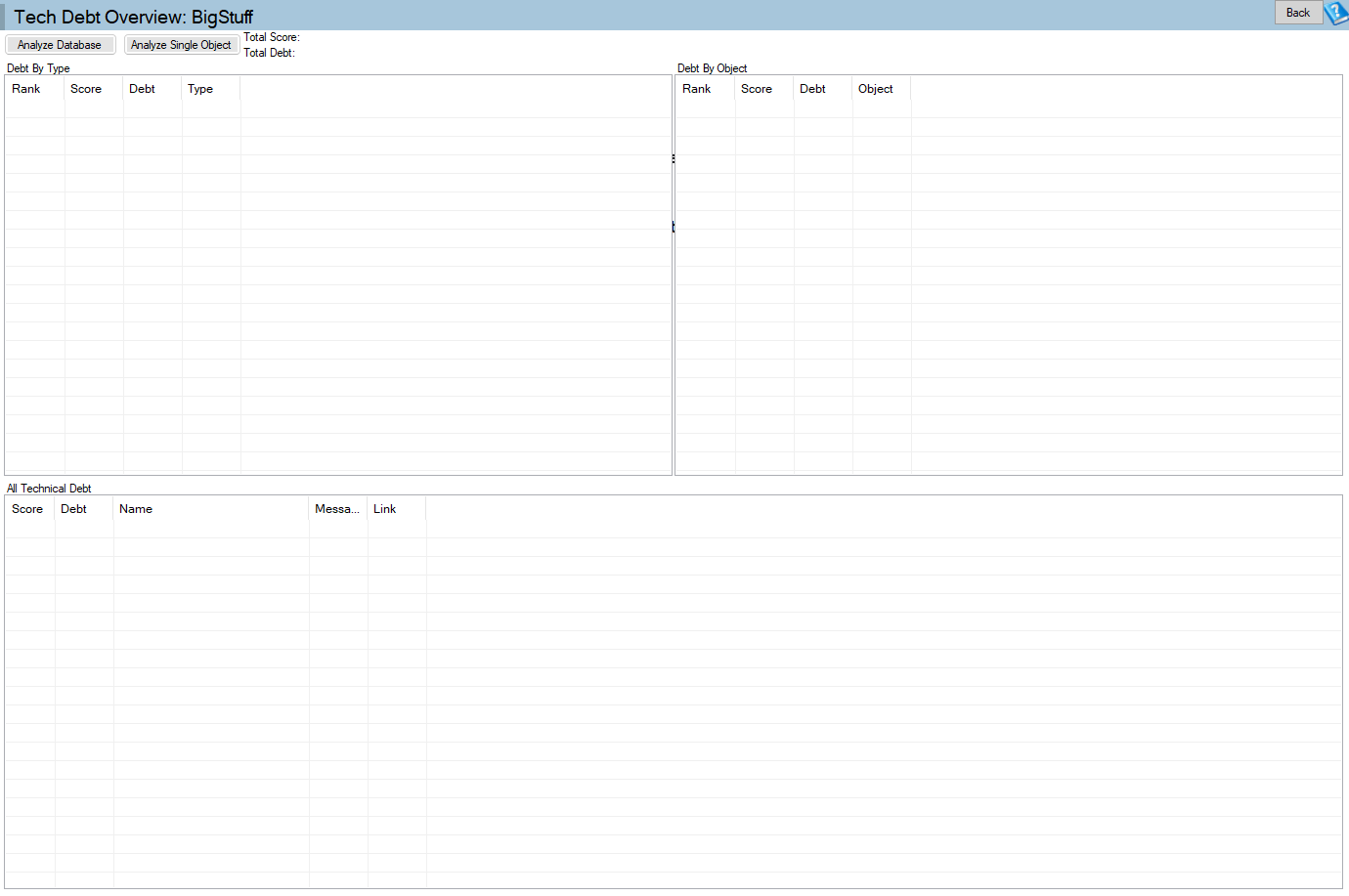
The report opens on a welcome screen, not a wall of results, because scanning a whole database is real work and should be something you asked for. Click Analyze and it works through all thirty two rules in the background, filling in three grids as it finds things rather than making you wait for the whole scan to finish.
Technical Debt is one of the reports in Database Health Monitor. It runs against your own servers, and it takes about a minute to have this same screen open on one of them.
The first grid ranks objects, worst first: it answers where the mess actually lives. The second ranks the rules that fired most often, by score: it answers what kind of mess it is. The third lists every single finding. Read the first two together and they point at two different jobs. One object sitting at the top of the objects grid is a rewrite: fix that procedure and the total score drops by exactly that much. One rule sitting at the top of the debt types grid is a sweep: 'NOLOCK' showing up in ninety procedures is one decision applied ninety times, and Schema Search is the tool for finding every last one of them once you've made it.
Double-click a debt type and the full list filters down to just that rule, which is how the second answer turns into an actual work list; a Clear Filter button gets you back out. Double-click an object, or any row in the full list, and it opens with every finding for that object together in one place, which is what a code review actually wants to see.
Turning SQL Server technical debt into a number
Every rule carries a multiplier, so the score reflects how much a finding costs rather than just counting it once. The conversion to a currency figure is deliberately simple:
cost = score x hourly rate / points per hour
Both numbers live in Settings, under Technical Debt, defaulting to twenty points per hour and fifty per hour in your currency. Change them to whatever fixing this code actually costs where you work and the figure stops being a placeholder. The score itself is what's honest to compare: run it against the same database a month apart and the two numbers mean something next to each other. Run it against somebody else's database and they don't, unless the two are the same size.
The four kinds of debt this catches
Thirty two rules sounds like a lot until you see they fall into four rough groups.
| Group | What it catches |
|---|---|
| Hurts at runtime | 'NOLOCK', cursors, '= NULL' instead of 'IS NULL', 'SELECT *' in procedures, missing 'SET NOCOUNT ON' |
| Will stop working | Deprecated 'DBCC' commands and deprecated procedures like 'sp_dbcmptlevel' |
| Hard to read | Oversized procedures, 'GOTO', inconsistent keyword casing, unqualified columns |
| Will bite you later | Tables missing their schema, spaces in object or column names |
Every one of these can be switched off. If your house style has never cared about keyword casing, turning that rule off in Settings is a reasonable first move, because a rule that fights your own conventions is noise, and noise makes the whole score less trustworthy.
Making the score honest for your team
Run the scan once and write the number down before anything else. That first number is only a baseline. Then go into Settings and turn off whichever rules don't match how your team actually writes code, and run it again; that second number is the one worth keeping. Read the top debt type first, because it's usually one habit repeated in a lot of places and it's the cheapest thing on the list to fix. Read the top object next: a single procedure carrying a tenth of the total score is a rewrite worth putting on the board.
None of this is unique to code. It's the same problem the Find SQL Server Unused Indexes Before They Cost You report solves on the index side: something that isn't throwing an error can still be costing you every single day, and nobody notices until somebody actually measures it.
Nothing on this page changes a line of code. It reads, it scores, and it hands you a number to argue with. Re-running it after the fix and watching the score drop is the argument for doing this again next quarter. The full reference for every rule and every column is in the Technical Debt documentation.
What to check on your own server
- Run the scan once against a database that's been around a while and write down the total score before changing anything
- Disable the rules that don't match your team's house style in Settings, then run the scan again for a real baseline
- Open the top debt type first and check whether Schema Search can list every occurrence for a single sweep
- Look at the top-ranked object and decide whether it's worth scheduling as a rewrite
- Re-run the scan after the fix and compare the new score against the baseline
Try Database Health Monitor Today
It replaces the gut feeling that a codebase has gotten worse with a specific score, a specific procedure to fix first, and a cost figure a manager can act on. Database Health Monitor shows it on every instance you connect, in the time it takes to open the report.
Download Database Health Monitor and run the Technical Debt report against your own server. There is nothing to configure first, and you will know inside a few minutes whether it tells you something you did not already know.
Related reading: Why Autogrowth in Percent Slows SQL Server Down. There's a deeper look at how a percent-based autogrowth setting quietly compounds into ever-longer pauses, and what SQL Server's own hard limits on file growth actually mean once you hit them.
Related reading: SQL Server Job Slow When Others Run? Here's Why. A companion piece breaks down why an Agent job can take ten times longer whenever several others start at once, by comparing the busiest overlap each subsystem sees against the worker thread ceiling SQL Server Agent enforces for it.