Rows per page SQL Server: What Oversized Types Cost
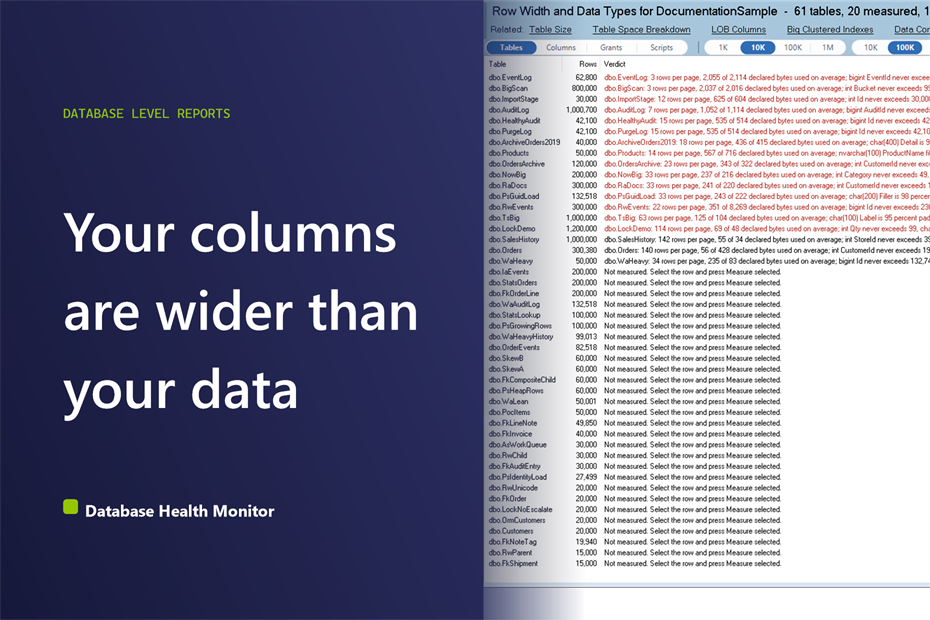
The table is not huge, yet every scan of it drags and the memory grants for its sorts look absurd. The row count is ordinary. What nobody checked is the rows per page SQL Server manages to fit, and a handful of oversized columns can cut that to a fraction of what the data needs.
How many rows per page does SQL Server fit, and why do oversized data types change it? Rows per page SQL Server stores equals floor(8,096 divided by the average record bytes plus 2). Columns declared wider than their data, such as nvarchar(4000) codes, datetime columns with no time, or bigint holding small numbers, shrink that figure. Measure the real record size, sample what each column holds, and compare fitted against current.
Database Health Monitor has a report for exactly this, called Row Width and Data Types. It measures how wide your rows really are and tells you which column types are bigger than the values inside them.
The number most people check instead
The usual first move is to look at row counts and index fragmentation. Both are real, and neither explains this. A million rows is a million rows. How many pages it takes depends on how wide each record is, and that depends on the types somebody chose years ago.
Even the declared row width misleads. A column typed nvarchar(4000) has a maximum of 8,000 bytes, but if every value is eight ASCII characters, the stored record is tiny. The declaration and the data disagree, and each number is wrong in a different way.
That disagreement is the problem. The storage engine uses the stored record. The optimizer plans with the declared width. You pay twice.
Rows per page SQL Server: the honest measure
A page holds floor(8,096 / (record bytes + 2)) rows. Use the average record size from the physical stats, which is where avg_record_size_in_bytes comes from, not the declared maximum. Then ask a second question: how many rows would fit if each column were sized to what it holds?
That second figure is the useful one. The gap between the two is pages you read on every scan, pages you cache, pages you back up. The usual offenders are easy to recognize:
- nvarchar columns whose values would all fit the code page of the collation, so varchar would do
- datetime or datetime2 columns where no value differs from its date, so date would do
- bigint, int or smallint columns whose minimum and maximum fit a narrower type
- int columns that only ever hold 0 and 1, which is a bit
- decimal columns holding whole numbers
- char columns over 10 characters that are more than half padding
- max columns whose longest value is under 8,000 bytes
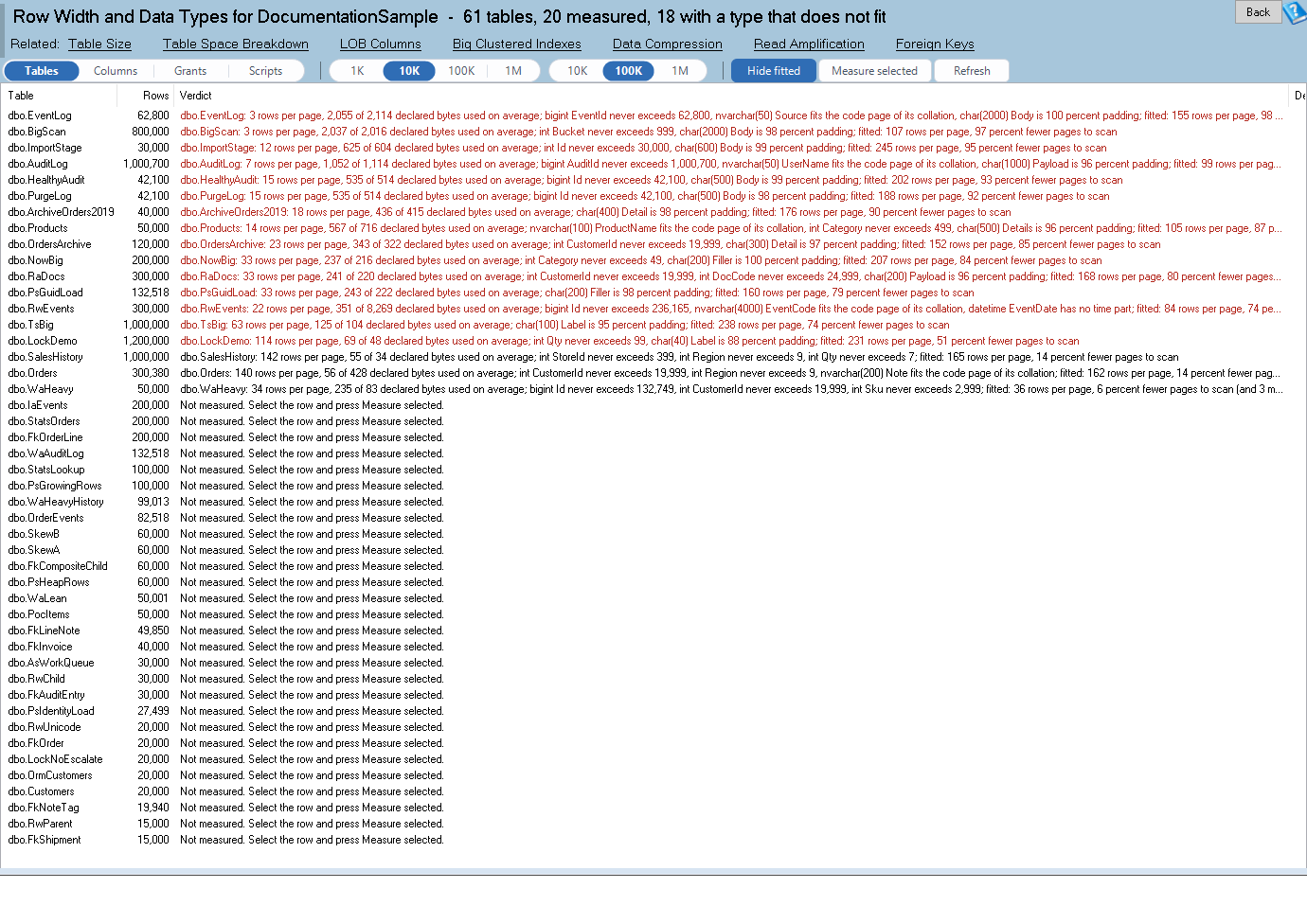
Row Width and Data Types is one of the reports in Database Health Monitor. It runs against your own servers, and it takes about a minute to have this same screen open on one of them.
The report samples each column to find what it really contains: longest and average actual bytes, whether any value needs Unicode, whether a time part exists, the maximum value, the padding and the distinct count. Then it suggests a type and says how many bytes per row that saves.
What the report puts on screen
Four views sit on the toolbar. Tables gives one row per table: declared maximum row bytes, average record bytes, rows per page now and fitted, pages saved, forwarded records and a verdict. Columns lists the probes for a selected table. Scripts holds the generated statements.
The fourth view is the one that explains memory grants. Grants puts the optimizer's AvgRowSize on scans and seeks next to the measured record size, with the memory each statement requested and used. A ratio above 3 is flagged. That is the declared width inflating a sort or a hash, and it can be the reason a query asks for far more memory than it touches.

The largest 20 tables up to 10 million rows are measured on open. For any other table, use Measure selected. Memory optimized and columnstore tables are not measured, and a compressed table gets no credit for fixed width savings, since compression already stores those values short.
Scans are where this pays. If reads on a table keep climbing, SQL Server Seek vs Scan: Why a Flat Read Count Lies covers the access side, and this report covers how many pages each of those scans has to cover.
What to do with the answer
Treat every suggestion as a hypothesis. The probes sample, so a value outside the sample can still break a narrower type. That is why each finding carries a risk note and a check to run first. Nothing is ever run from the page.
Suggestions are held back unless the whole table or at least 10,000 sampled rows are read, with 500 or more non null values in the column. They are also withheld for foreign key columns whose other side has a different type, and for computed, sparse, column set and FILESTREAM columns. Identity columns keep 10 percent headroom at both ends, with the last identity value folded in.
Start with the tables where pages saved is largest, run the check, then review the ALTER COLUMN with the application owner. For the full reference, see the Row Width and Data Types documentation.
What to check on your own server
- Open your largest tables and compare average record bytes with declared maximum row bytes
- Sort by pages saved and start with the tables where fitted rows per page is far above the current figure
- Read the risk note on each suggestion before touching any column
- Run the verify check from the Scripts view against the whole table before any ALTER COLUMN
- Compare the optimizer's AvgRowSize with the measured record size on scans of your busiest tables
Try Database Health Monitor Today
Row Width and Data Types shows which columns are declared wider than the data they hold and what narrowing them would save in rows per page and pages scanned. Database Health Monitor shows it on every instance you connect, in the time it takes to open the report.
Download Database Health Monitor and run the Row Width and Data Types report against your own server. There is nothing to configure first, and you will know inside a few minutes whether it tells you something you did not already know.