Unlock Expert-Level SQL Server Optimization with DBAssistant
If you’ve ever stared at a slow-running query at 2 a.m. wondering “What setting did I forget this time?”, you’re not alone. Most DBAs and accidental DBAs wear a dozen hats, and SQL Server has hundreds of knobs that can quietly hurt performance, security, or reliability long before anyone notices.
That’s exactly why we built DBAssistant inside Database Health Monitor — to act as your always-on virtual senior DBA that never sleeps, never takes vacation, and never sends passive-aggressive emails.
What Actually Is DBAssistant?
DBAssistant is an intelligent scanning and advisory engine that examines your SQL Server instances and delivers plain-English, prioritized recommendations based on decades of real-world DBA experience.
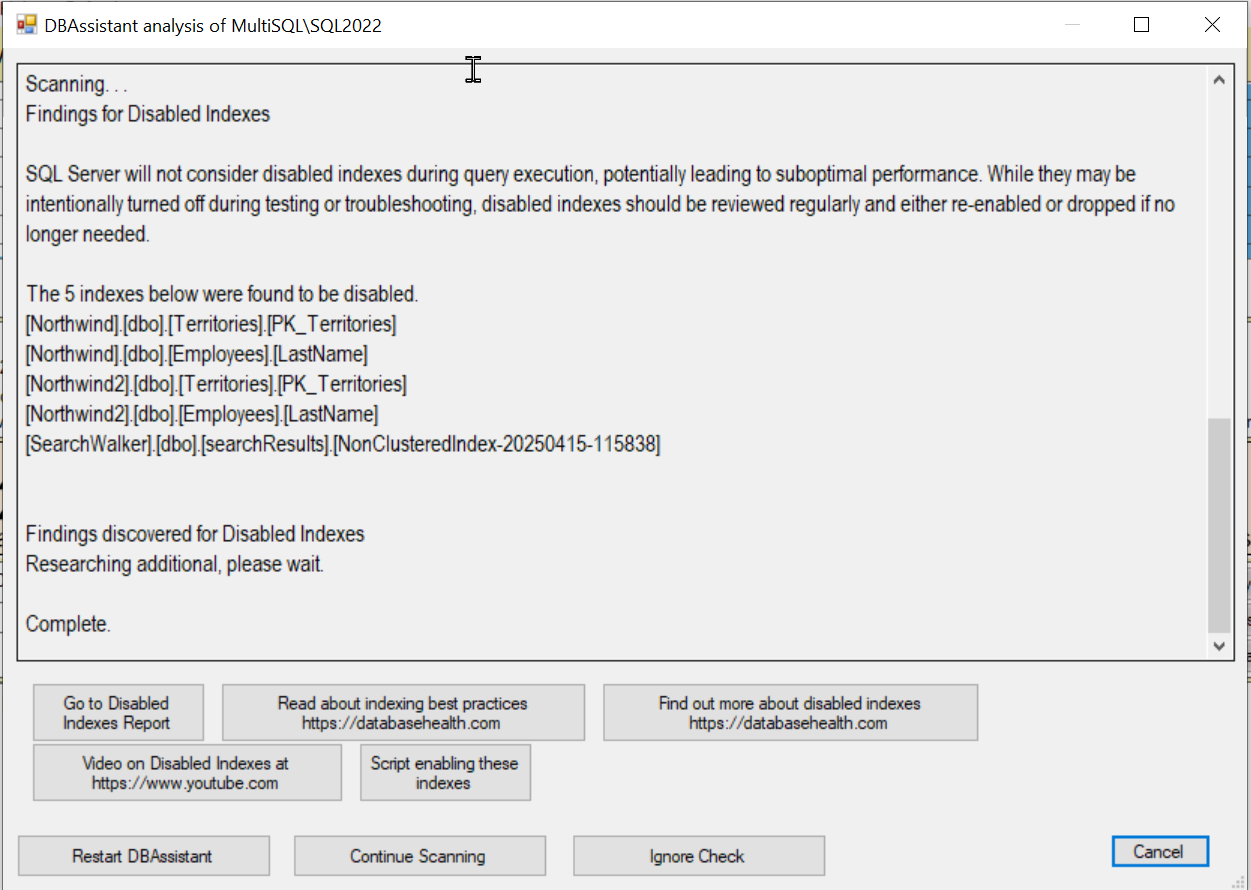
Think of it as running a full health check with a seasoned consultant — except it runs in seconds and gives you the same advice you would get from a high-end Consulting engagement.
The Issues It Catches (That Most People Miss)
Here’s just a sample of the 150+ checks DBAssistant performs:
- Blocking chains happening right now – Shows who’s blocking whom and one-click kill options (with safety checks).
- Missing or failed backups – Instantly flags databases with no recent full or log backups.
- TempDB on the C: drive – The silent performance killer affecting every single query.
- Orphaned users – Users in the database no longer mapped to logins (huge security risk).
- Cost Threshold for Parallelism still at 5 – Causing unnecessary CXPACKET waits on modern hardware.
- Backup compression disabled – Wasting terabytes of disk and hours of backup time.
- Max Server Memory set too high (or unlimited) – Starving the OS or ballooning into other instances.
- No recent DBCC CHECKDB – Quiet Corruption waiting to ruin your weekend.
- TDE not enabled on sensitive databases – Compliance headache waiting to happen.
- Autoshrink or AutoClose turned on – Performance anti-patterns that should have died in 2005.
- Virtual Log File (VLF) counts in the thousands – Making transaction log backups painfully slow.
- Missing indexes costing your users seconds on every click – With exact CREATE INDEX statements ready.
- Databases in FULL recovery with no log backups – Fake availability that will bite during the next restore.
And literally hundreds more.
Why DBAssistant Recommendations Are Different
Any tool can spit out a generic “best practice” list. DBAssistant goes deeper:
- Recommendations are context-aware – It looks at your actual workload, edition, version, and hardware.
- Every suggestion comes with a clear why, impact score, and one-click or copy-paste fix when possible.
- Issues are prioritized so you fix the things that actually hurt first.
- It evolves – we add new checks every month based on the toughest problems we see in customer environments.
Real-World Example
Last week a customer opened Database Health Monitor, clicked the DBAssistant tab, and saw this as the #1 recommendation:
“TempDB is on the C: drive along with your OS and user databases. This creates severe I/O contention. Recommended: Move TempDB to dedicated high-performance drives with one data file per logical processor (up to 8). Expected impact: 30-70 % reduction in average query duration.”
They moved TempDB over lunch. Batch jobs that took 45 minutes dropped to under 12.
That’s the kind of win DBAssistant delivers daily.
Getting Started
Download and install Database Health Monitor from stedmansolutions.com/database-health-monitor. Once connected to your instances, open the DBAssistant panel and run a scan – you’ll immediately see prioritized, actionable recommendations.
Final Thought
You don’t need another monitoring tool that floods you with meaningless alerts.
You need something that tells you exactly what to fix, why it matters, and how to do it — in language humans understand.
That’s DBAssistant.
Give it 10 minutes this week and I guarantee you’ll find at least one issue that’s been quietly costing your users (or your sanity) for months.
Download Database Health Monitor today and let DBAssistant become the DBA you always wished you had time to be.

See you on the other side of faster queries!
Steve Stedman
Founder, Stedman Solutions, LLC
Creator of Database Health Monitor