Exploring the dbAssistant Feature in Database Health Monitor
Database Health Monitor is a powerful tool for managing and optimizing SQL Server Performance, and one of its standout features is the dbAssistant. Available at the Server Overview panel, the Database Overview panel, and integrated into many reports, dbAssistant is designed to simplify database maintenance by proactively scanning for common issues and providing actionable solutions.
What is dbAssistant?
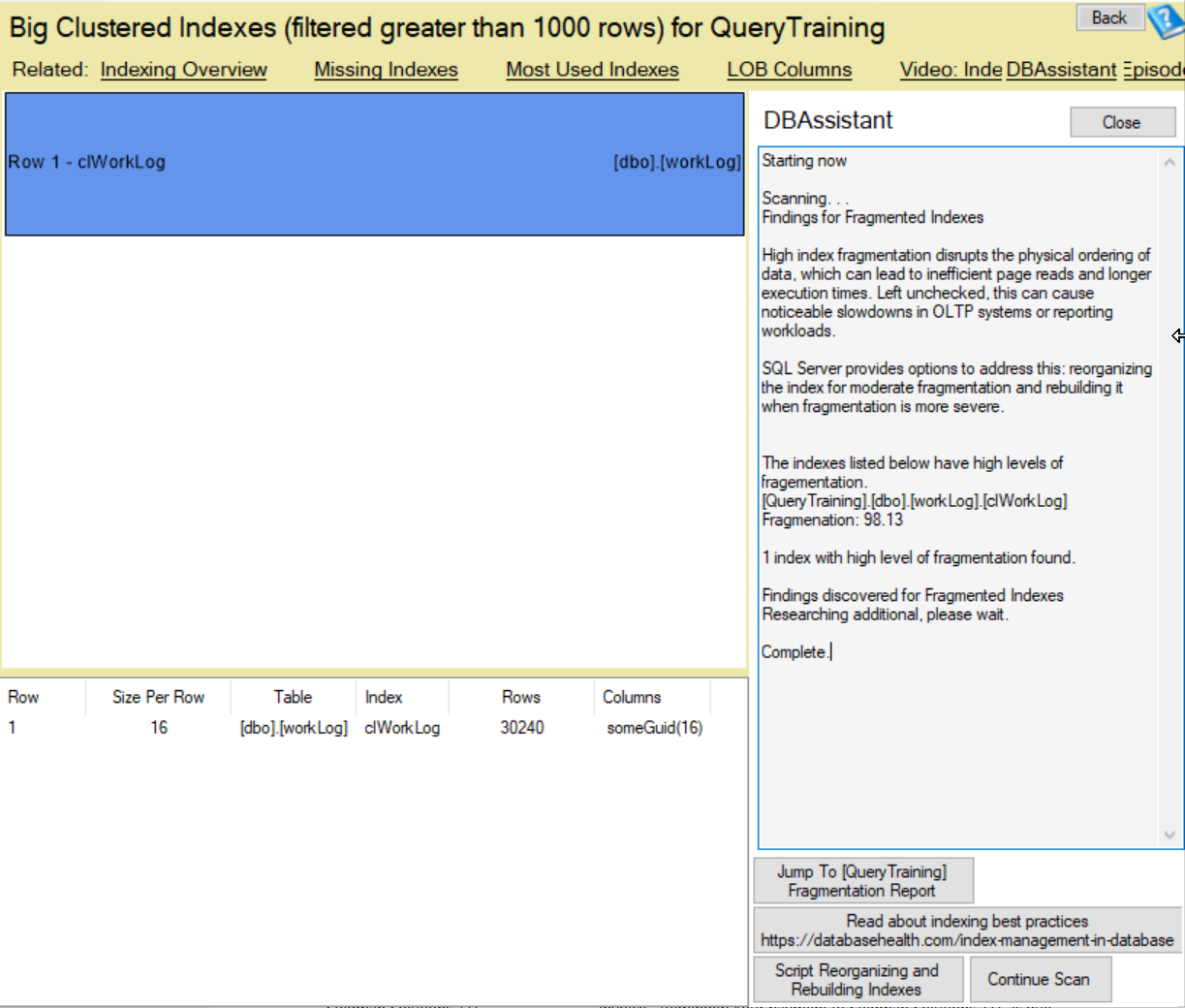
dbAssistant is an intelligent scanning tool that analyzes your SQL Server environment to identify potential problems that could impact performance or data integrity. Whether it’s missing alerts, disabled indexes, high VLF counts, or Fragmented Indexes, dbAssistant flags these issues and offers options to address them directly or dive deeper into detailed reports.
Where You’ll Find dbAssistant
- Server Overview Panel: Get a high-level view of your server’s health, with dbAssistant highlighting system-wide issues like ad hoc query execution or database ownership concerns.
- Database Overview Panel: Focus on specific databases to uncover issues such as disabled indexes or TDE encryption status.
- Integrated with Reports: Embedded within reports like Fragmented Indexes or Missing Indexes, dbAssistant enhances your troubleshooting by suggesting fixes or linking to relevant data.
How dbAssistant Works
The tool performs automated scans and presents findings with clear explanations. For example:
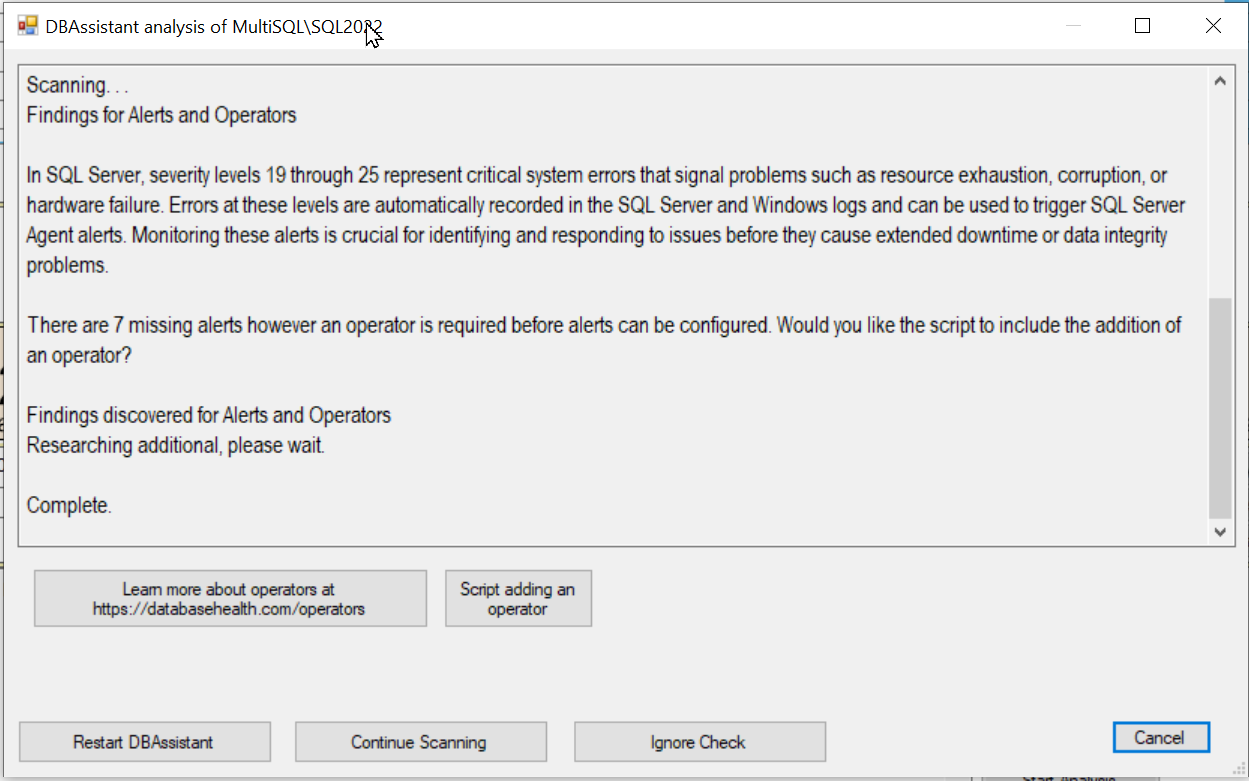
- Alerts and Operators: It may detect missing alerts or operators and prompt you to add an operator to ensure proper notifications.
- Disabled Indexes: Identifies indexes turned off during testing or troubleshooting, recommending re-enabling or dropping them to optimize performance.
- Ad Hoc Workloads: Flags high levels of ad hoc query execution, suggesting the “Optimize for Ad Hoc Workloads” setting to reduce memory usage.
- Fragmented Indexes: Highlights indexes with high fragmentation levels, offering scripts to reorganize or rebuild them.
After each scan, dbAssistant provides a “Findings discovered” section where it lists issues and their potential impact. Options include:
- Jump to Reports: Link to detailed reports for in-depth analysis.
- Scripts: Automatically generated scripts to fix issues, such as adding operators or enabling optimizations.
- Learn More: Links to resources for best practices and additional context.
Benefits of Using dbAssistant
- Proactive Issue Detection: Catch problems before they lead to downtime or performance degradation.
- Time-Saving Solutions: Quick access to scripts and reports reduces manual troubleshooting.
- User-Friendly: Intuitive interface with clear recommendations makes it accessible to both novice and experienced DBAs.
Getting Started
Next time you’re in Database Health Monitor, explore the dbAssistant in the Server Overview or Database Overview panels. Integrate it with your routine checks by leveraging its presence in key reports. Whether you choose to apply a suggested script or jump to a detailed report, dbAssistant empowers you to maintain a healthy SQL Server environment with ease.
For more insights and tutorials, check out the resources linked within dbAssistant or visit the Database Health Monitor documentation. Start scanning today and let dbAssistant guide you to a more efficient database!